
Photo of the Week
16/26
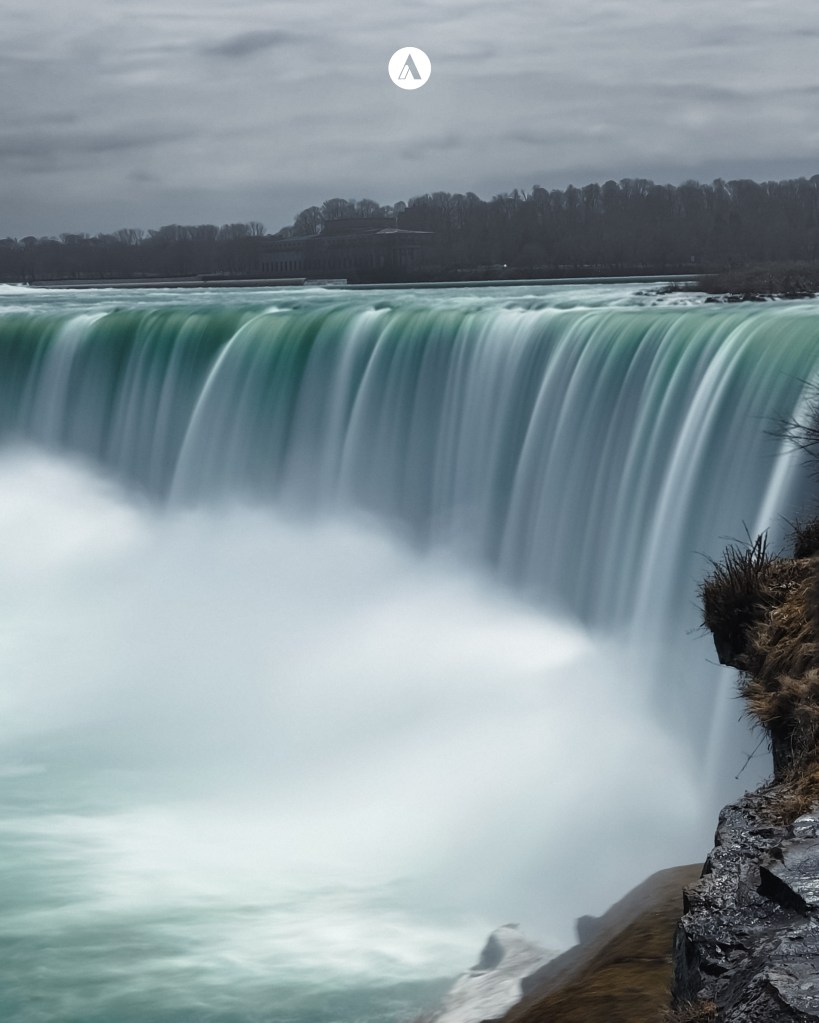
Nachdem ich eine ganze Woche in Toronto gestrandet war, hatte ich die Möglichkeit, mir viele Dinge anzusehen, für die ansonsten bei einem 24-stündigen Aufenthalt keine Zeit bleibt. Die Niagara Fälle habe ich privat schon vor vielen Jahren besucht, aber das macht ja nichts.
Leider bin ich ohne meine Kamera los geflogen, da ich nicht mit solch einer Dauer gerechnet habe – aber man kann ja auch mit dem Handy tolle Bilder zaubern.
Wie funktioniert die Langzeitbelichtung mit dem Mobiltelefon? Ich kann hier leider nur für mein Telefon der Marke 🍏sprechen. Aber wenn dein Handy eine Live-Kamera-Funktion besitzt, kannst du dieser Anleitung folgen.
Starte deine Kamera, öffne das Menu und wähle „Live“. Wenn du jetzt den Auslöser drückst, nimmt deine Kamera kurze Videos auf. Suche dein Motiv (Wasserfälle, fahrende Gegenstände wie zum Beispiel Züge, Riesenräder etc…), und halte dein Mobiltelefon ganz still, da jede kleine Bewegung das Bild unscharf werden lässt. Mach das Foto. Nun gehst du in dein Fotoalbum und suchst das Foto und öffnest es. Oben rechts siehst du nun die Markierung „live“. Wenn man da anklickt, bekommt man eine Auswahl, und hier wählt man Langzeitbelichtung. Und fertig ist ein tolles Bild!
After being stranded in Toronto for a whole week, I had the opportunity to see many things for which there is usually no time during a 24-hour stay. I had already visited Niagara Falls privately many years ago—but that doesn’t matter.
Unfortunately, I flew off without my camera, as I hadn’t anticipated such a long duration—but you can still manage to get some great photos with a mobile phone.
How does long-exposure photography work on a mobile phone? Unfortunately, I can only speak for my 🍏 phone here. However, if your phone has a „Live Camera“ feature, you can follow these instructions.
Start your camera, open the menu, and select „Live.“ Now, when you press the shutter button, your camera will record short video clips. Find your subject—such as waterfalls, or moving objects like trains, Ferris wheels, etc.—and hold your mobile phone perfectly still, as even the slightest movement will cause the image to blur. Take the photo. Now, go to your photo album, find the image, and open it. In the top right corner, you will see the „Live“ indicator. Tap on it to reveal a selection of options, and choose „Long Exposure.“ And just like that, you have a fantastic image!

 www.khun-aleks.de